利用 GitHub 和 Hexo 构建博客
对比于 WordPress,Hexo 这种 Markdown 风格的博客系统,更能让作者关注写作本身,而且搭配 GitHub 不需要独立部署,资料在本地和云端都可以很好地备份。
创建 GitHub 仓库
创建一个以 owner.github.io 命名的仓库,可以直接生成 xxx.github.io 域名的GitHub Pages,推荐用这种命名方式生成博客。
图例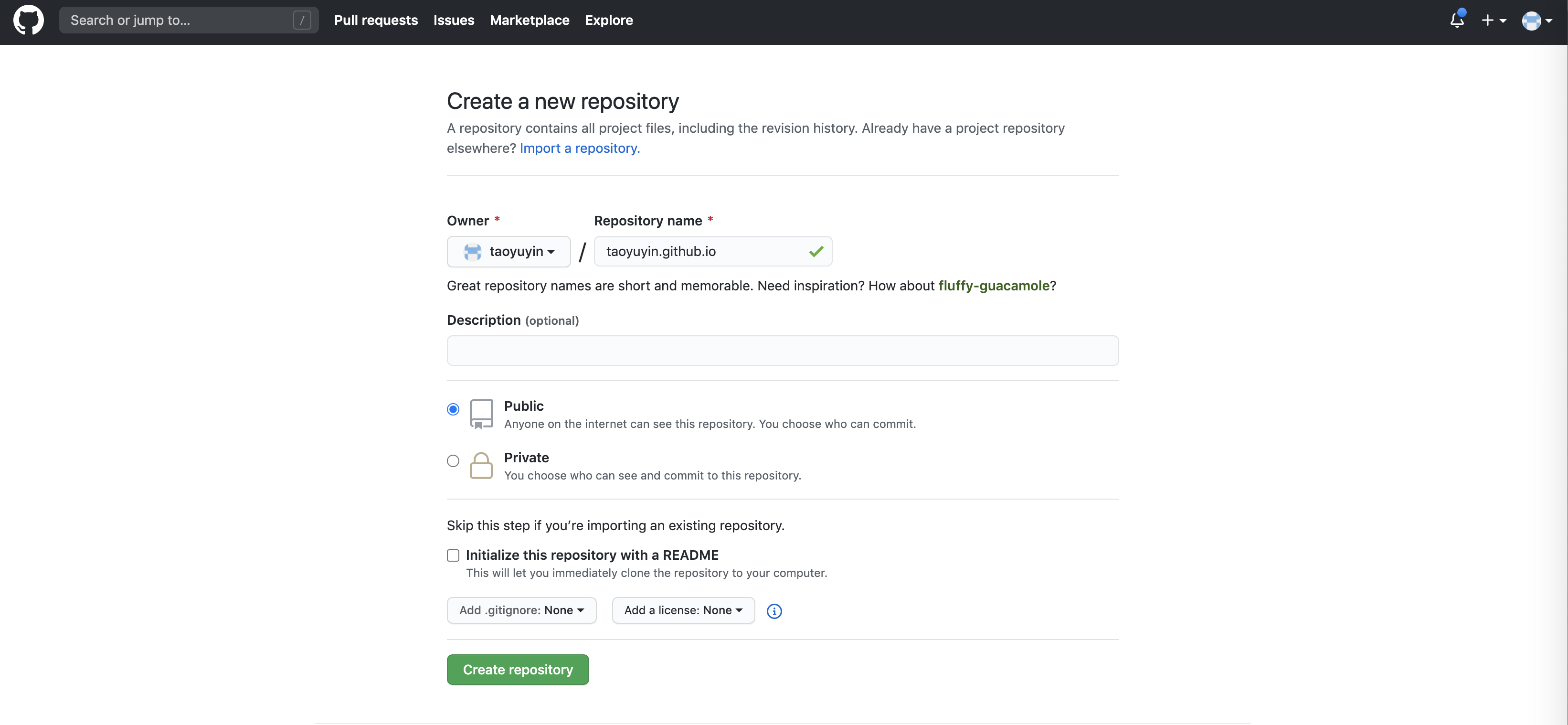
我的以 taoyuyin.github.io 命名,创建完成就可以直接访问了,https://taoyuyin.github.io/
Hexo 安装和初始化
安装 Hexo
1 | $ npm install -g hexo |
初始化
1 | $ mkdir taoyuyin.github.io |
生成博客
1 | $ hexo g |
如果需要本地访问,启动服务,然后通过浏览器访问本地端口4000,http://localhost:4000
1 | $ hexo s |
发布到 GitHub
发布到 GitHub,需要安装Git发布插件 hexo-deployer-git
1 | $ npm install hexo-deployer-git --save # 安装插件 |
编辑 _config.yml,补充 deploy 内容
1 | deploy: |
发布
1 | $ hexo d |
至此,一个基于 GitHub 和 Hexo 的博客就构建好了